
Access
Select System Administration from the user menu and then CML Console (in the Database section) to open the CML 2 Console.
Functionality
CML stands for Command Markup Language and is the proprietary XML compliant command oriented format used.
The CML 2 Console enables the centralized conversion, validation, and documentation management of schemas and XML business documents within a work group. It gives users a configurable command center for the organization and subsequent processing of XML document files. With this, Organizations can process a single or groups of schemas in all major and emerging XML schema dialects like DTD, BizTalk, etc. The CML Console provides exceptional control for the streamlined implementation of XML initiatives internally and with trading partners.
This program also allows the user to import CML 2 files into the database.
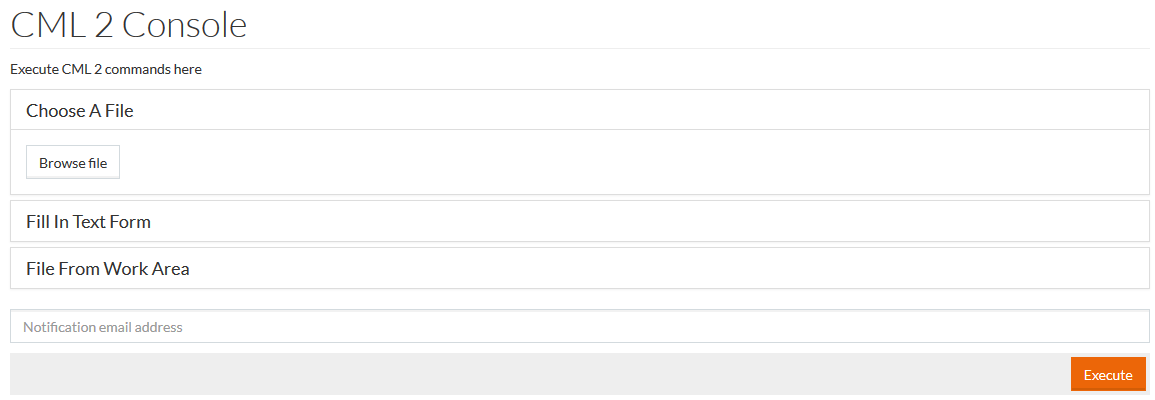
There are three options available to execute CML 2 commands:
- Choose A File - enables you to choose the relevant file from your computer. Click Browse file to search and select the file.
- Fill In Text Form - execute a command, manually entered into the text box.
- File From Work Area - click the Search icon to select a relevant file from the Work Area or the Cross icon to delete an entry.
Provide an email in the Notification email address field for any notifications and click the Execute button.