
Access
To get access to the Express Catalog and Contract Creation functionality, select Master Data from the main menu and then Express Catalog/Contract Creation (in the Catalogs section).
Functionality
Express Catalog and Contract Creation editor can be used in case you need to create new Catalogs and Contracts with the appropriate provisioning without spending much time on the information entering.
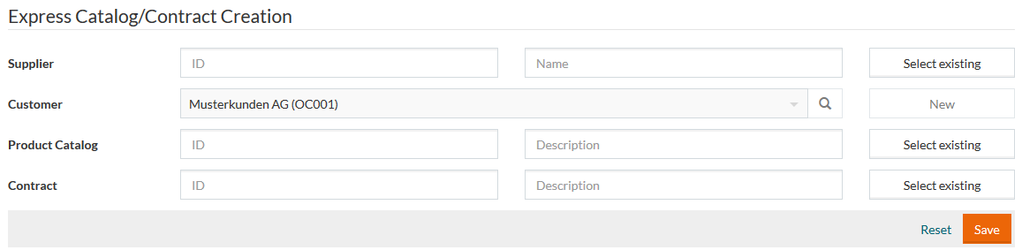
Depending on the current assignment Supplier or Customer fields will be pre-selected and disabled.
There are two options of how to fill in the remaining fields:
- Create a new entry - for this enter the appropriate info into the ID and Name input boxes (click the New button in case the existing entry selection mode is enabled);
- Select existing - click the
Select existing button and browse for the required entry:
- Using the referenced search (activated upon the search icon clicking);
- Using a drop-down list (first 10 entries are displayed);
- By entering the ID/Name into the input box and selecting the desired option with the help of the autocomplete function.
Click Save to initiate the creation of the appropriate entries.
After saving, all entered data remains in the form, so you are able to re-use the data entered into the fields, if applicable.
You will be able to see the list of the newly created and existing items in the section below.
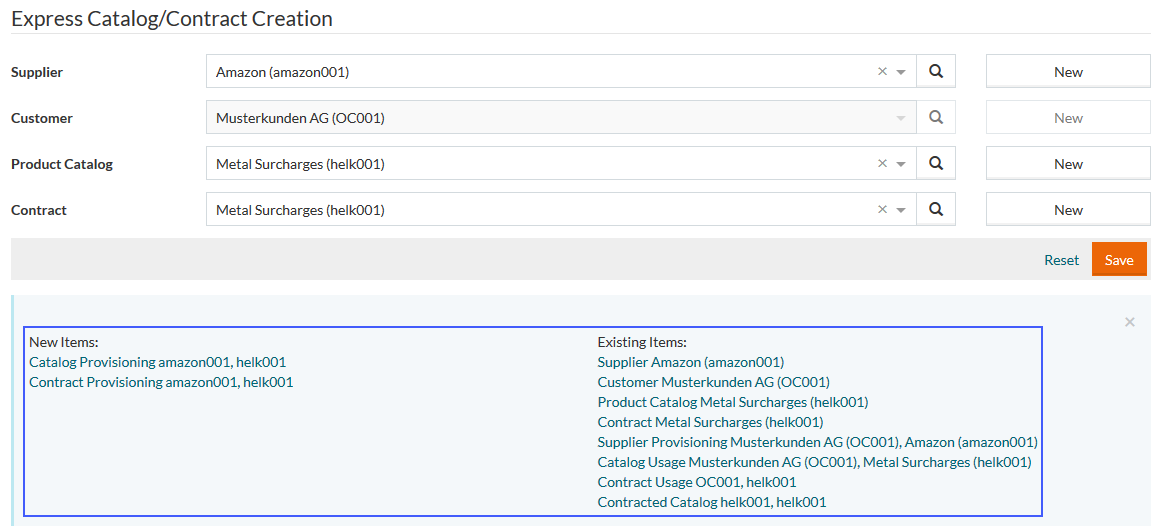
Click the item to open the relevant editor and update the information, as may be necessary.