
Access
Select System Administration from the user menu and then Log Files (under the System Reports section) to gain access to different log files.
Functionality
Log Files are used to trace log entries and browse different logs generated by the application. Once the processing of a job is completed in the application, the process details of the job can be viewed here.
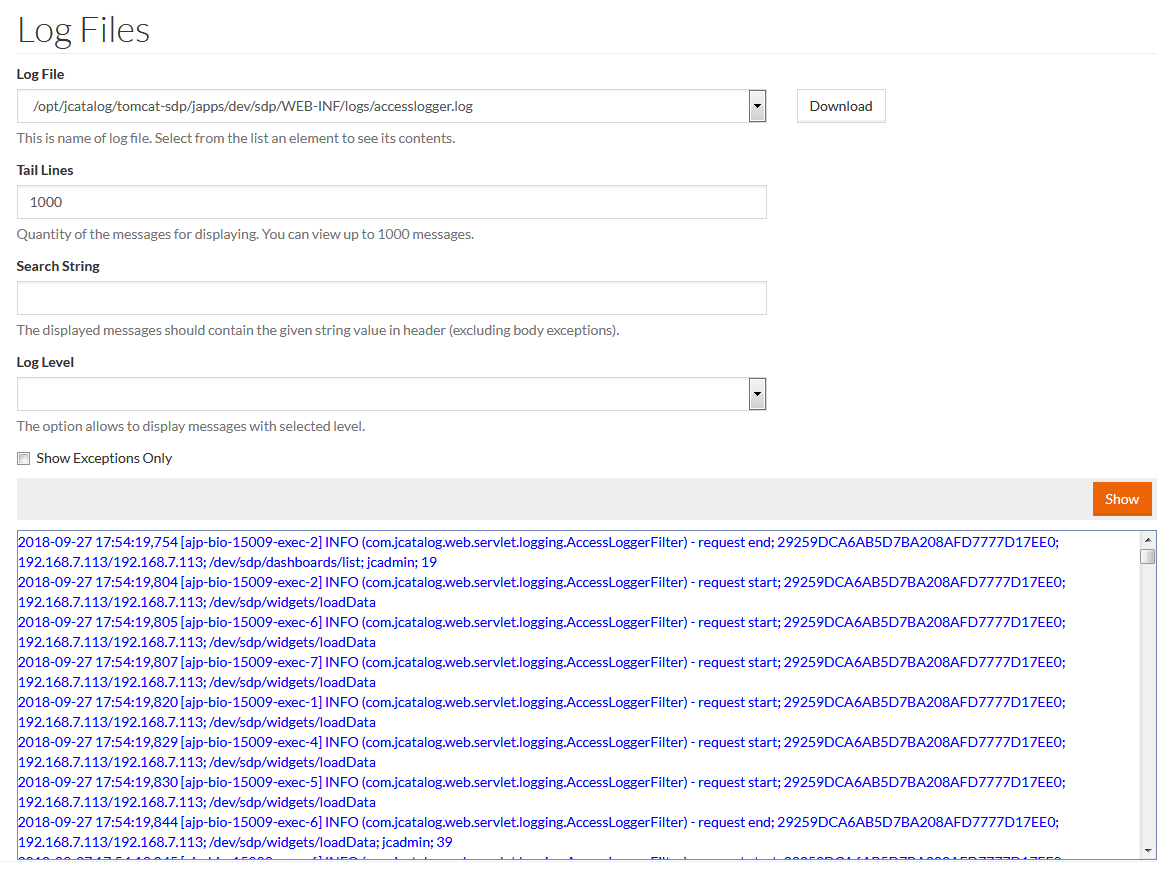
- Select Log File from the drop-down menu and click Download to download the selected file.
- Tail Lines - enter the number of lines to be displayed.
As log files can be rather big, it is possible to view only the first 1000 lines of the log file.
- Search String - if required, specify the string value the displayed message should contain in this field.
- Log Level - results can be filtered for messages like DEBUG, INFO, WARN, ERROR. Select the desired level from the drop down menu. Messages for all levels are displayed if a log level is not selected.
- Show Exceptions Only - select the check box as a filter to display only exceptions, otherwise leave it blank.
Click Show to view log entries.