
Access
Select System Administration from the user menu and then Query Tool (in the Database section) to gain access to the Query Tool functionality.
Overview
SQL statements can be carried out within the relevant database, without having to revert to other external database query systems. The Query Tool executes a set of arbitrary SQL statements. If an error is encountered during execution, the modifications produced by INSERT, UPDATE and DELETE statements are rolled back.
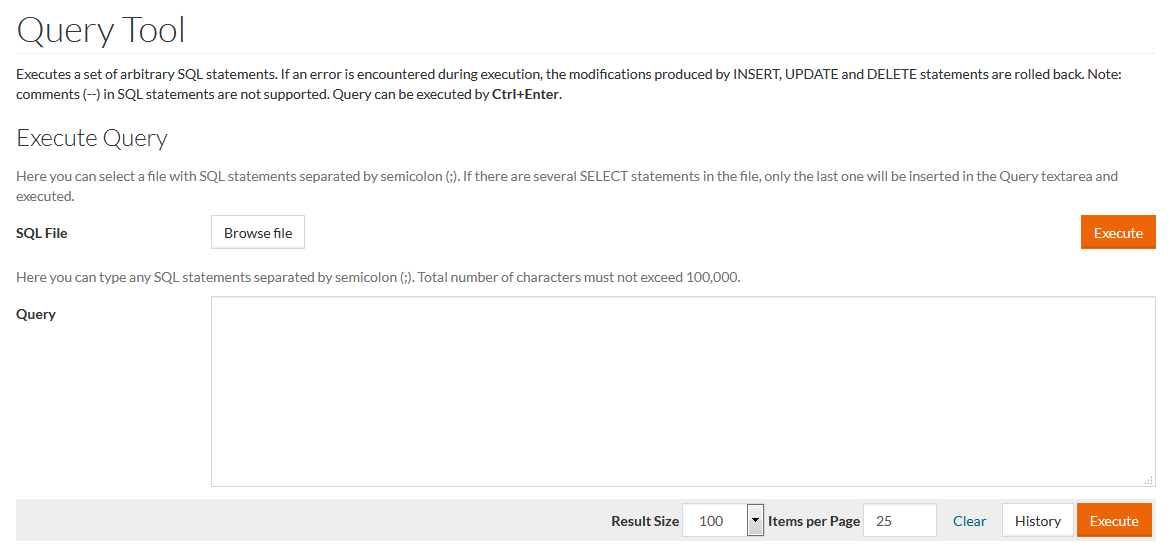
The query execution page has parameters that require input to execute a query.
Use the Browse file button to browse the Work Area. Select the SQL File and click the Execute button to execute.
Query can be executed by Ctrl+Enter shortcut.
SQL statements can be typed in the text area space for Query, however, total number of characters should not exceed 100,000 and statements must be separated by semicolons ( ; ).
The default Result Size and Items per Page of 100 and 25 respectively, can be changed by entering the new values as applicable.
Click the History button to view the Query History. Click the Execute button to execute or the Clear button to clear the typed SQL statements.