
Access
To open the Search Attribute Section page, select Master Data from the main menu and then Attribute Sections (in the Classification section).
Contents
Overview
Use the Attribute Section editor to create attribute sections for further usage. In particular, sections group the attributes assigned to a particular section for their display in PIM and OPC.
See the page Basic Actions for more info on standard actions (search, sort, edit, delete etc.).
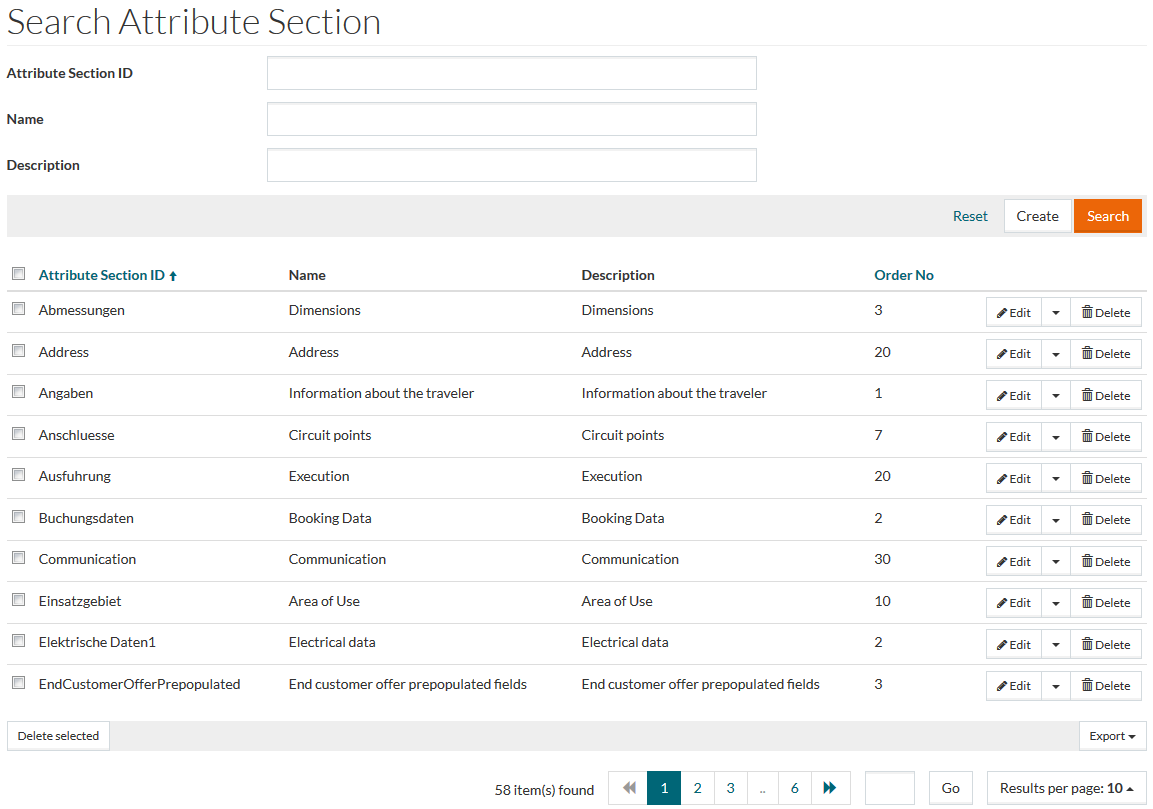
Create Attribute Section
To add a new attribute section, click the Create button to open the editor.
Enter the Attribute Section ID into the appropriate field, which is mandatory. Optionally enter attribute section Name and Description. It is possible to add Names and Descriptions in multiple languages. If required, enter Order No.
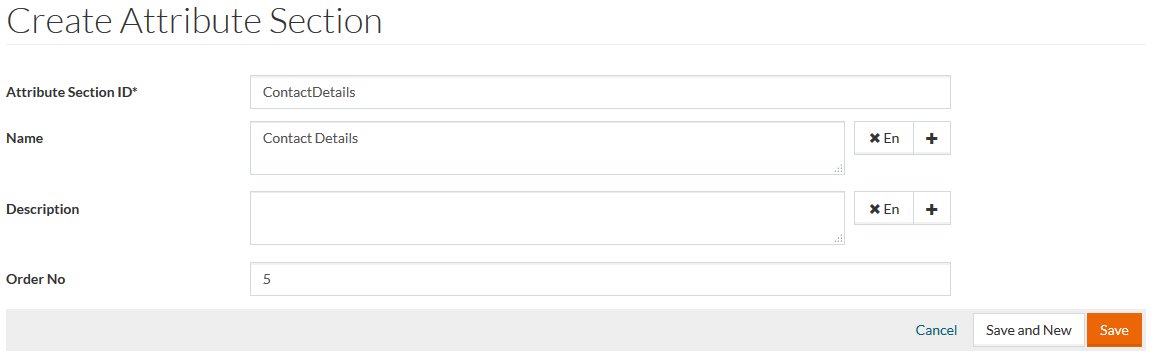
Click the Save button to save a newly created section. Click Save and New to save a newly created section and proceed with the creation of another section. Click the Cancel link to go to the search page without saving.
Duplicate Attribute Section
Click the Duplicate option from the Edit drop-down menu on the search page or the respective Duplicate button on the attribute section editor page to create a copy of an existing attribute section. Enter a unique Attribute Section ID on the Duplicate Attribute Section page, click Save and then complete editing on the attribute section editor page.