
Access
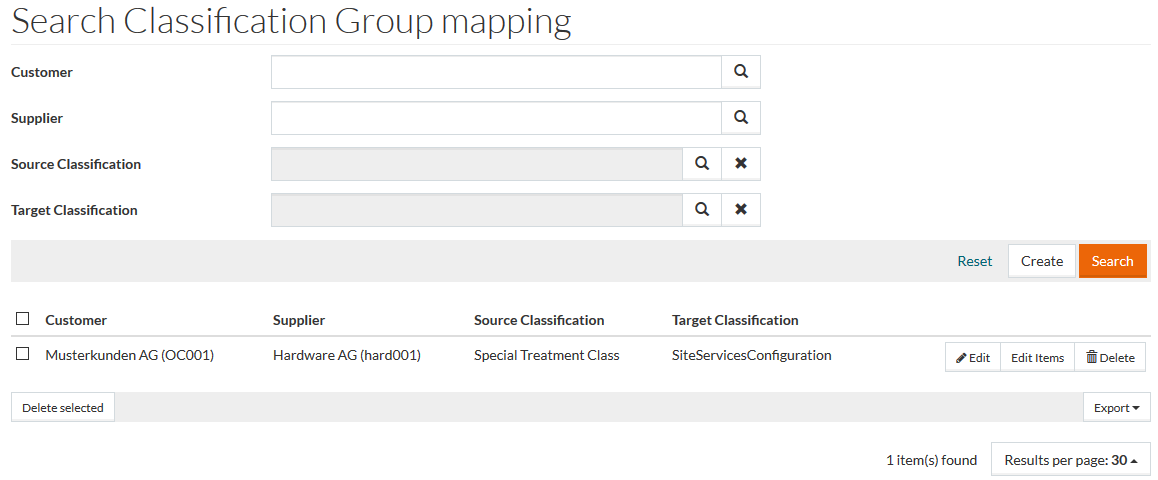
To access the Classification Group Mappings, select Master Data from the main menu and then Classification Group Mappings (in Value Mappings section).
Contents
Functionality
Classifications can also have different interpretations, depending on the context in which it is used and the classification group mapping function maps different interpretations of a classification to each other.
Classification Group Mappings are used in the Classification Mapping steps of Standard Workflow with the provision to edit/create them directly in SSM. See Process Catalog in SSM for more details.
See the Basic Actions page for more info on standard actions (search, sort, edit, delete etc.).
Create Classification Group Mapping
Click Create to create new Classification Group mappings and open the mapping editor.
Enter data for Source Classification and Target Classification which are mandatory fields or click the search icon to search and select the data needed. If required, enter details or click the search icon for Customer and Supplier.
Select Mapping Inheritance check box to enable the inheritance logic when the source child classification groups get mapped with the target classification group that is mapped with their parent.
Click Save to save details, Save and New to save details and proceed to creating another Classification Group Mapping or Cancel to cancel and return to the search page.
Edit Classification Group Items
Click Edit Items to go to the Classification Group Mapping Items page and manage the items that belong to the relevant Classification Group Mapping.