
Access
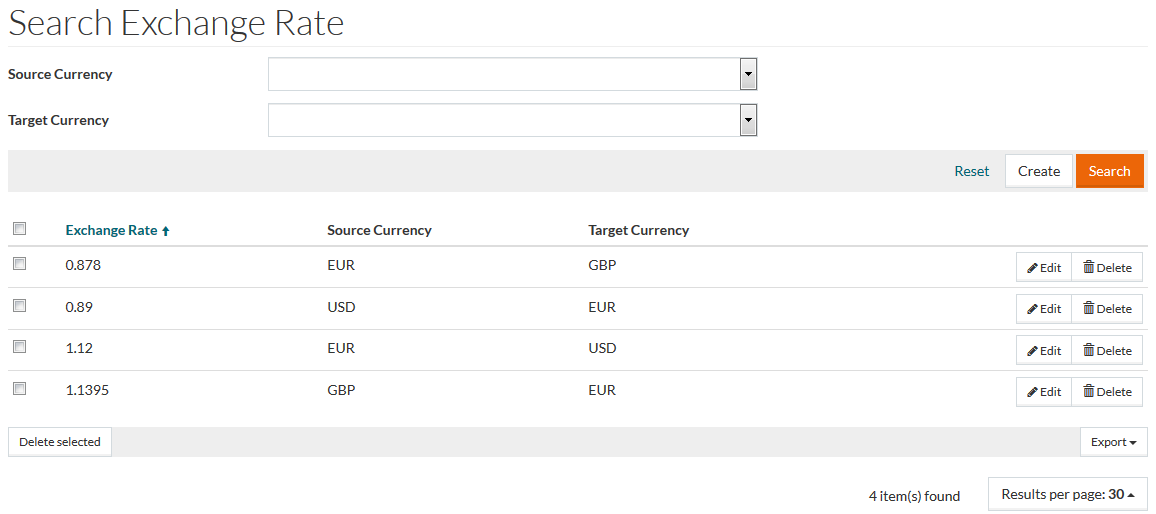
To open the Conversion Rates Editor, select Master Data from the main menu and then Conversion Rates (in the Basic Data section).
Overview
Exchange or conversion rate is the rate or price at which a country's currency is calculated and exchanged for the currency of another country. There are various factors that determine an exchange rate.
See the Basic Actions page for more info on standard actions (search, sort, edit, delete etc.).
Create Exchange Rate
To add a new conversion rate, click the Create button. This will open the editor.
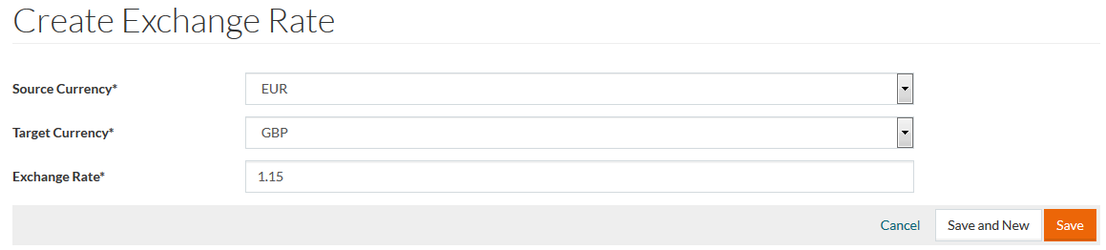
Select Source Currency and Target Currency from the drop-down menu options and enter the Conversion Rate for the selection. It is mandatory to fill in data for all three parameters.
Click Save to save the data. Click Save and New to save the changes and proceed creating a new conversion rate. Click Cancel to cancel.