
Access
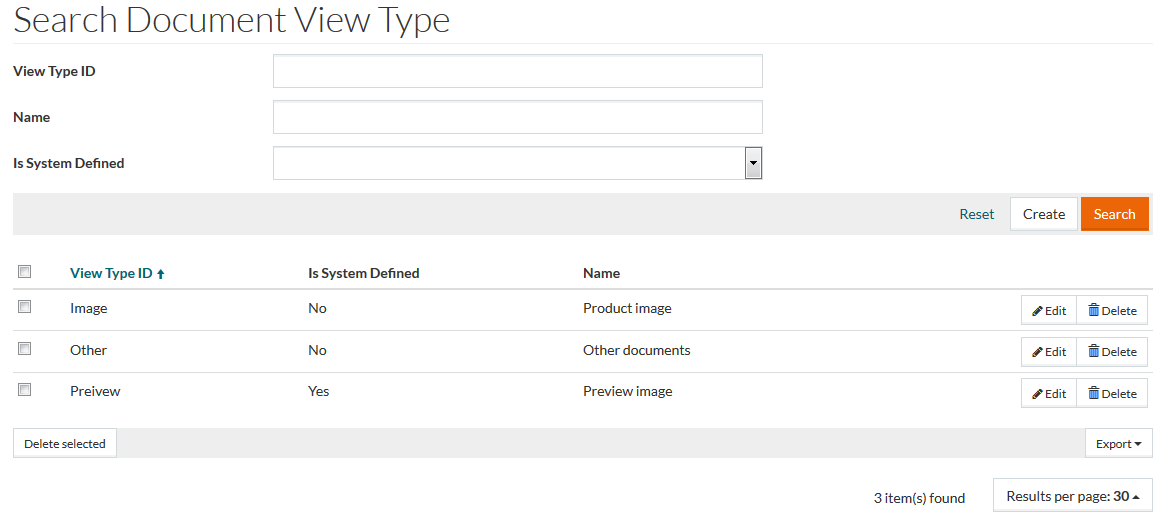
To access Search Document View Type page, select Master Data from the main menu and then Document View Types (in the Basic Data section).
Overview
Document view type refers to the standard relationship among a document, its view, and its frame window. Several document types with multiple views of the document are supported.
See the Basic Actions page for more info on standard actions (search, sort, edit, delete etc.).
Create Document View Type
To add or assign a new document view type to the list, click the Create button.
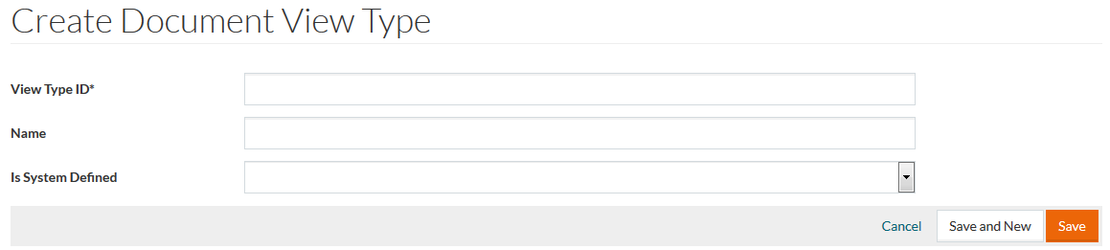
On the document view type editor page enter View Type ID (mandatory field). Enter the Name if required. Select Yes or No from the Is System Defined drop-down list to determine whether the relationship between the document and its view is defined by the system and hence may be modified or not.
Click Save to save the document view type, Save and New to save the changes and proceed creating a new type. Click Cancel to cancel.