
Access
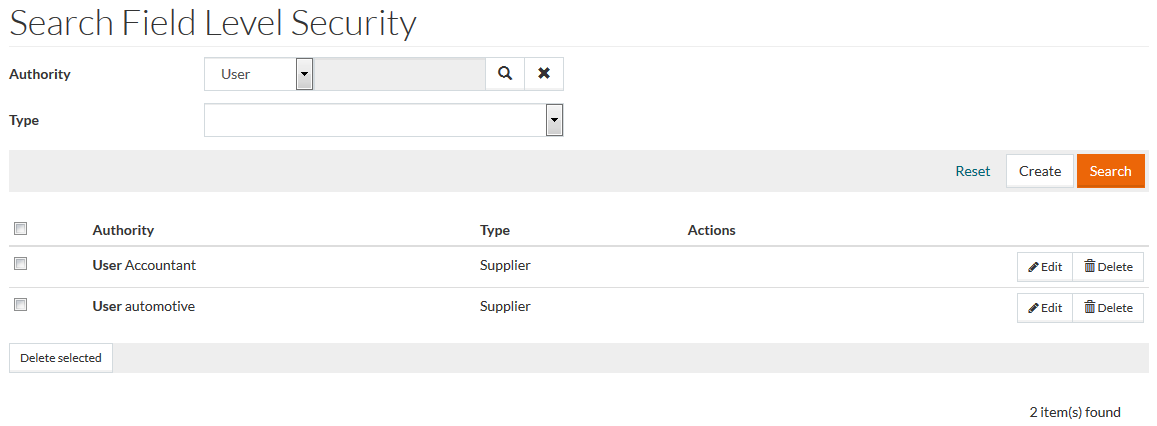
To create, search, edit, delete Field Level Security entries, click the Authorization menu - > Field Level Security menu item.
Contents
Functionality
Field level security provides the possibility to grant different access to object fields/properties. E.g. some fields could be hidden from user or shown as read only or be editable.
For any user/role/group certain access level to object field could be granted. There are 3 levels (up to the bottom):
- "Edit" - means that field value could be displayed to the user and be edited by this user.
- "View" - means that field value could only be displayed to the user.
- "Hidden" - field value is hidden from the user.
See the Basic Actions page for more info on standard actions (search, sort, edit, delete etc.).
Create Field Level Security
To create a new Field Level Security, click the Create button to open the Field Level Security Editor.
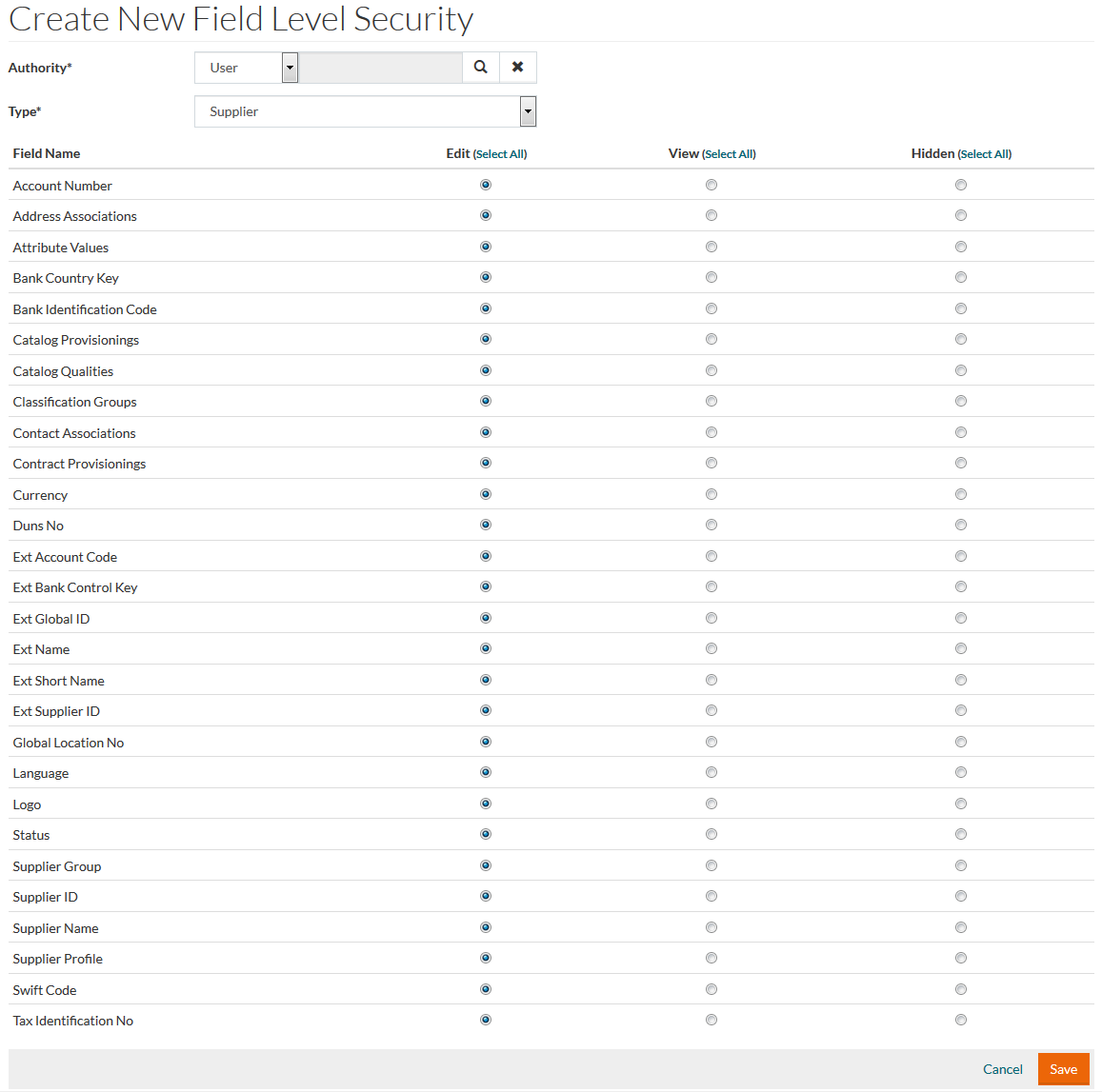
Select the
Authority from a drop-down. Then choose the specific User/Role/Group using
 .
.
Select a Type from a drop-down.
Select the required radio-buttons in the list below to grant or restrict access to the given data.
Make the necessary changes and click the Save button to save the information or Cancel to cancel.