
Access
To open the Manufacturers search page, select Master Data from the main menu and then Manufacturers (in the Customer/Supplier section).
Overview
A manufacturer can be a person, an enterprise or an entity that manufactures something.
See the Basic Actions page for more info on standard actions (search, sort, edit and delete etc.).

Create Manufacturer
To create/add a manufacturer, click the Create button. The manufacturer editor will be opened.
Enter Manufacturer ID (mandatory field) and the Logo, the Manufacturer Name and Manufacturer Information, if required.
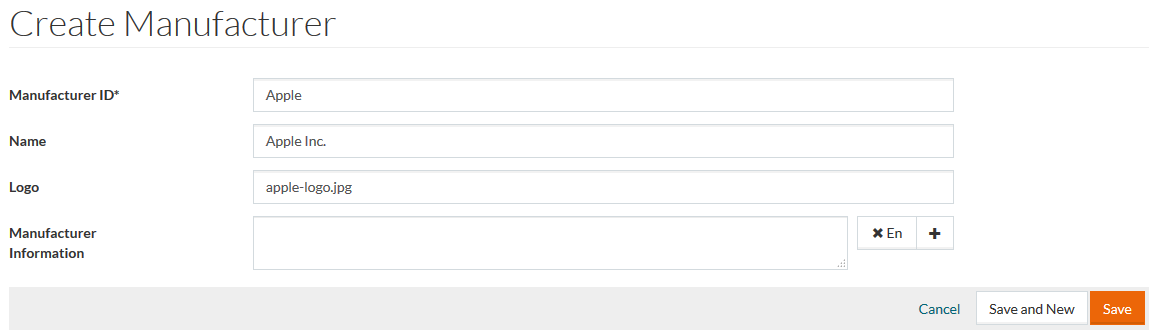
In the Logo field, you can give a file name of the image uploaded into documents/manufacturers folder in the Work Area. This logo image will be used on Product Preview page in PIM or Product Details page in OPC.
It is possible to use an external URL to the manufacturer's logo image in the Logo field. The URL length cannot exceed 250 symbols.
To add
Manufacturer Information in several languages, click
 and select the desired language from the drop-down list of options
. To delete an entry, click the
and select the desired language from the drop-down list of options
. To delete an entry, click the
 icon.
icon.
Click Save to save, Save and New to save the manufacturer entry and proceed creating a new one. Click Cancel to cancel.