
Access
To get access to the OCI Object Visibility editor, go to Master Data > OCI Object Visibility (in the OCI Object Visibility section).
Overview
OCI Object Visibility allows/restricts the supplier contracts visibility for OCI users in OPC.
OCI Object Visibility is a combination of OCI Object Visibility Parameters and their values.
When such a combination is assigned to a contract on the
Contract to OCI Object Visibility page or on
OCI Object Visibility tab on the
Contracts page in
PROV, the contract is visible according to the defined parameters.
To use OCI Object Visibility restrictions in OPC:
- OPC Configuration Attribute should be set to ' true'
jcatalog.opc.useEntitlement OPC Configuration Attribute should be set to ' false'
To search for a specific OCI Object Visibility:
- Enter OCI Object Visibility Parameters, values or description into OCI Object Visibility Parameters field and select from the offered autocomplete list
- Click the search icon to open OCI Object Visibility reference search
Click the
Search button to initiate the search.
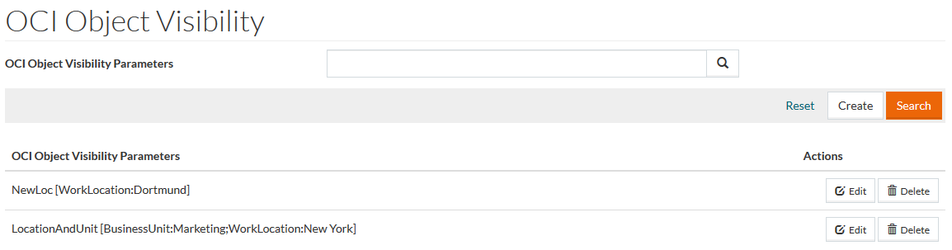
See the
Basic Actions
page for information on standard actions.
Create OCI Object Visibility
To create a new OC I Object Visibility click the Create button.
In the opened OC I Object Visibility editor:
- In the
OCI Object Visibility
section:
- Enter a
Description to give a description for the OCI Object Visibility entry (optional).
- Enter a
Description to give a description for the OCI Object Visibility entry (optional).
- In the
OCI Object Visibility Parameters section
- Select the OCI Object Visibility Parameter from the drop-down list.
The list of OCI Object Visibility Parameters is defined in opuscapita.ociObjectVisibilityParameter.namesList Configuration Attribute.
- Enter the Value for the selected OCI Object Visibility Parameter.
Values cannot contain colon (:) and/or semicolon (;) characters.
Click the Add new parameter button to add the parameter to the OCI Object Visibility.
Enter another parameter and value and click the
Add
new parameter button to add more parameters to
OCI Object Visibility.
Click the
Delete button to delete a parameter from the OCI Object Visibility.
Click the Save button to save the created OCI Object Visibility.