
Access
To access the Organization Units Editor, select Master Data from the main menu and then Organization Units (in the Organization section).
The Organization Units Editor can be accessed from Organizations page by clicking Edit Units button for the organization.
Functionality
Usually organizations consist of multiple units/departments/affiliates, etc. Use Organization Units Editor to define the organization's, the hierarchy of its components and users that belong to a specific unit.
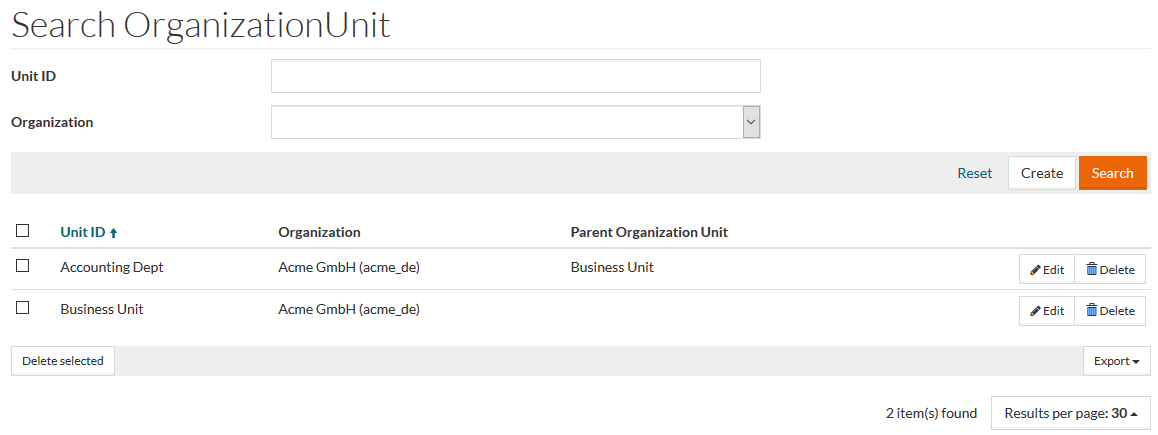
See the Basic Actions page for more info on standard actions (search, sort, edit, delete etc.) with the Organization Units.
Create Organization Unit
To add an Organization Unit to Organization, click Create.
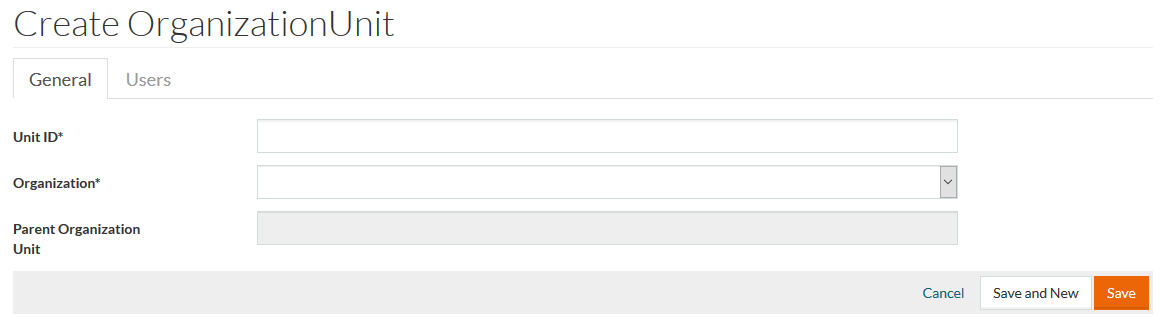
Enter the Unit ID, select the Organization the unit belongs to and select the Parent Organization Unit if the unit is subordinate to some other unit.
Click Save to the save the unit.
After saving the created organization unit, the Users tab becomes available to set the list of users working in the unit.
Select users using autocomplete functionality or reference search.
A user can be assigned only to one organization unit.
The users that are already assigned to some organization unit are not available for selection.
Click Save to save the list of users.