
Access
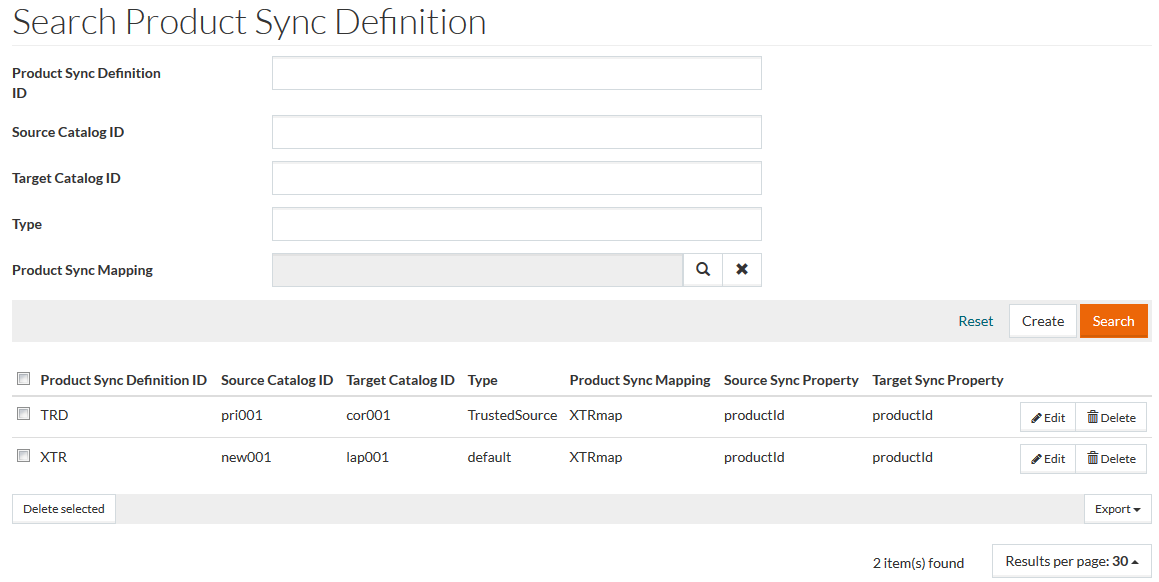
To access Synchronization Definitions, select Master Data from the main menu and then Synchronization Definitions (in Synchronization section).
Contents
Overview
Use Synchronization Definition to define source and target catalogs and sync properties which should be synchronized and also synchronization type and product sync mapping.
See the Basic Actions page for more info on standard actions (search, sort, edit, delete etc.).
Create Synchronization Definition
Click Create to add a new Product Sync Definition. This opens a Product Sync Definition editor.
Fill in the required fields - Product Sync Definition ID, Target Catalog ID, Type, Product Sync Mapping, Source and Target Sync Property. In case one of the sync properties (Source/Target) is a combination (Manufacturer Product ID and Manufacturer Product Name), the remaining property should also be a combination, as otherwise it will impossible to synchronize them.
Currently only the Trusted Source Type sync mode is available. In this mode, the Source Catalog for the Target Catalog processing is determined dynamically. After determination, products will be synchronized based on the script configured in Product Sync Mapping (so before creating Product Sync Definition, it is required to create Product Sync Mapping).
After entering the relevant details, click Save to save a Product Sync Definition, Save and New for a new Product Sync Definition and Cancel to return to the search page.
In case Product Sync Definition is configured for the current User, 'Synchronization' step is available after the 'Initialization' step in the Customer Workflow.